OneID
OneID lets people prove who they are without uploading a passport or taking a selfie. Instead, it uses their bank or other digital data sources, institutions they already trust, to confirm their identity securely, in seconds.
When I joined as the sole designer, the product was one year old and one method deep. Over three years, I helped turn it from a single verification flow into a flexible identity platform, one that 800,000 people a week now use to prove personal details such as name, date of birth or address.
Impact:
+47% user completion rate | +15% user adoption | -91 sec to complete
Company
OneID®
Role
UX/UI Designer
Service
UX/UI
Timeline
Jan 2022
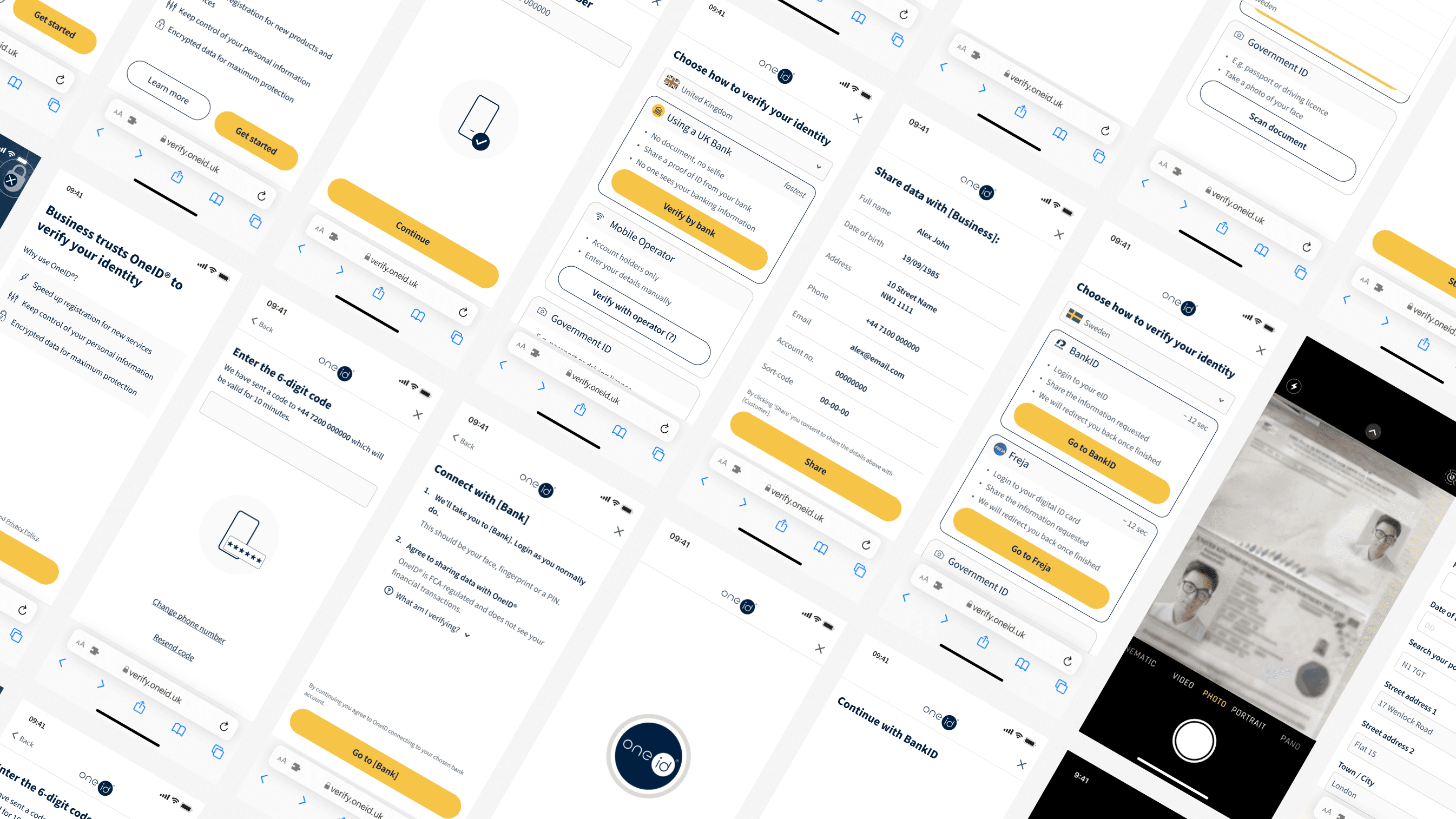
Understanding the problem
Identity verification is a moment of high stakes and low trust. You're being asked to hand over sensitive personal data to a service you may have just discovered. The bar for confidence is high, and the tolerance for friction is almost zero.
At OneID, that tension sat at the centre of everything. We had three groups of people with overlapping but often conflicting needs, and designing for one without the others created problems fast.
End users
Wanted speed and simplicity.
but not at the cost of feeling exposed. They'd heard enough data breach headlines to be wary. Even when the friction was low, trust wasn't automatic.
Customers
Needed flexibility.
Edge cases that felt marginal: joint accounts, non-UK users, long age checks for e-commerce, were actually blocking real adoption. One unsupported scenario could cost a contract.
OneID
Needed a product that could grow.
The first-time experience was strong, but the cost model didn't scale, and the architecture made it hard to move fast.
User testing insight
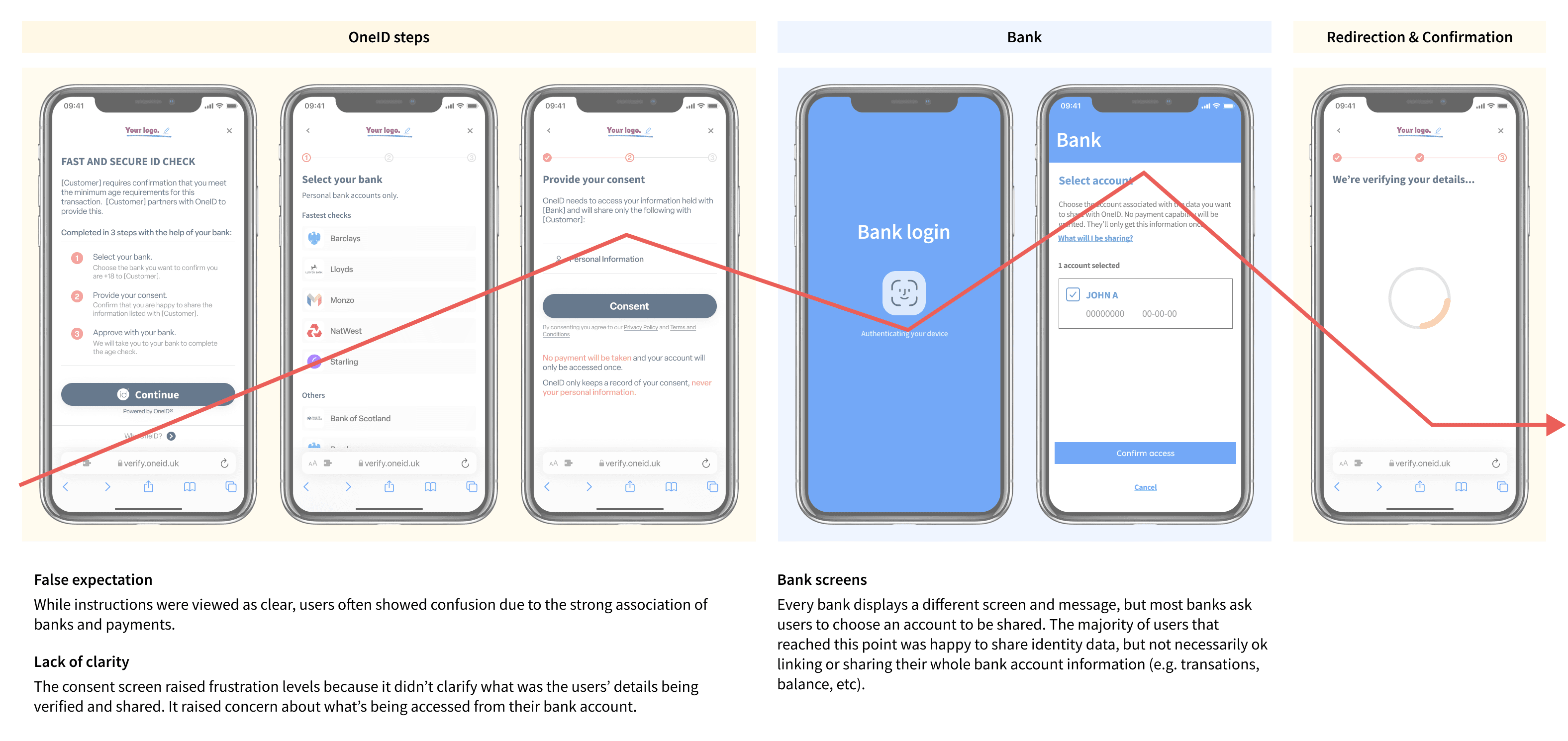
The challenge wasn't just UX. It was understanding where these tensions overlapped and designing a product that could hold all three, without pretending the trade-offs didn't exist.
Framing the approach
The research made one thing clear: we couldn't fix everything at once without breaking what was already working.
Completion rates were suffering at specific, identifiable points in the journey, not everywhere. That meant we had headroom to improve before making bigger structural bets. So we split the work into three phases, each one building on the last:
Approach
1
Stabilise and improve the existing bank-based journey — fix what's causing drop-off now
2
Expand coverage: address the edge cases that were blocking customers from committing
3
Redesign the economics: make the product sustainable at scale.
This wasn't just a sensible project plan. It was a way of protecting the team: giving engineering fast wins without betting on architectural decisions we hadn't validated yet.
Optimising what exists
These usability and visual changes focused on reducing cognitive load at the most sensitive points of the journey, particularly where users were asked to connect their bank.
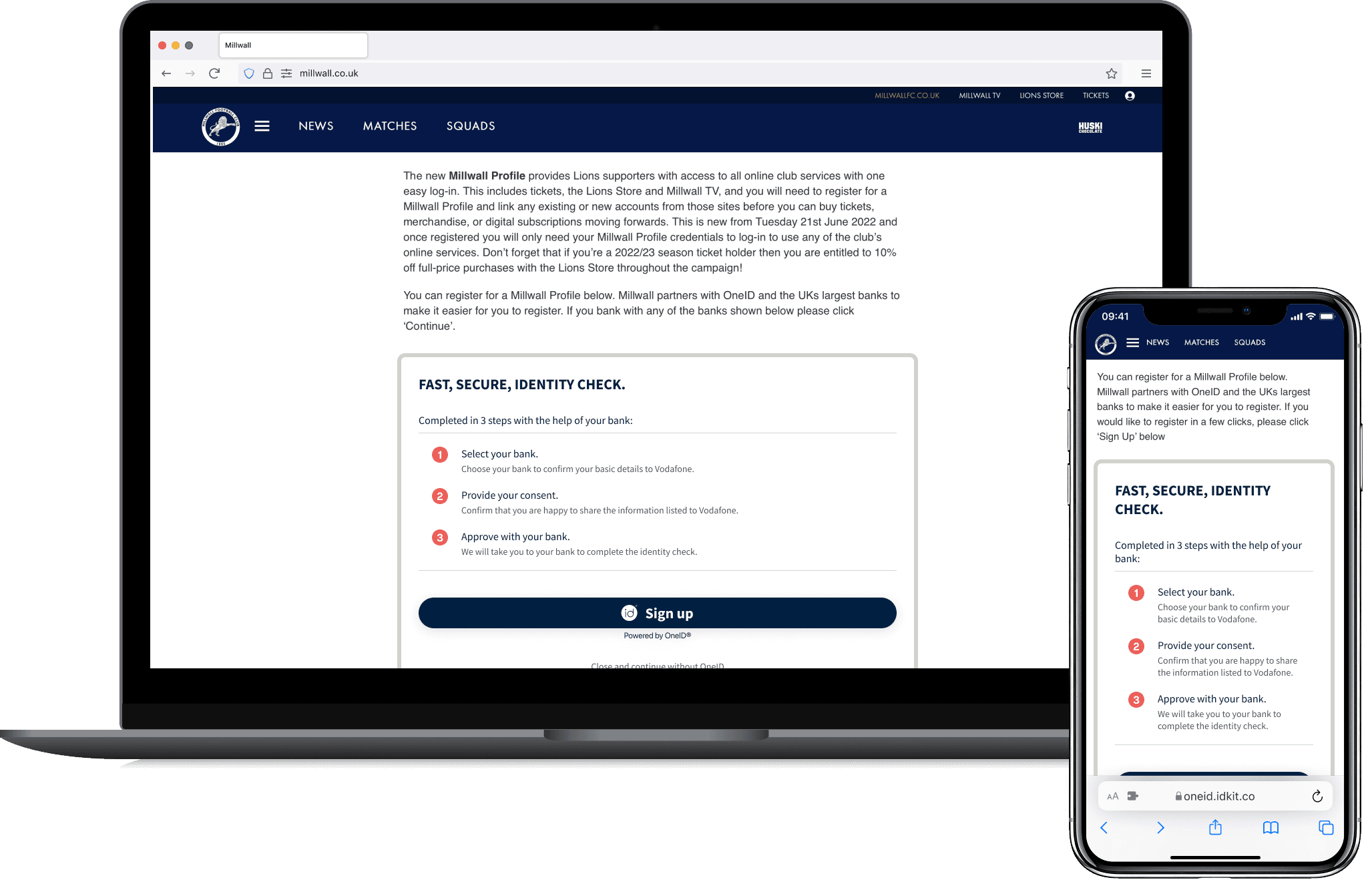
From embedded to controlled environments
Before
OneID was embedded directly inside customers' websites. That meant our design was at the mercy of their layouts, their responsiveness, their accessibility decisions. A product asking people to do something sensitive was behaving like a widget.
After
Moving the verification journey into a modal or new tab, configurable by the customer, gave us back control. It meant we could guarantee a consistent, accessible experience regardless of where OneID was deployed.
It also unlocked something we hadn't expected: new distribution channels. A standalone URL made it possible for customers to trigger verification via email, or generate QR codes for in-person scenarios, such as age checks at self-service kiosks, for example. A small structural change, with a long tail of consequences.
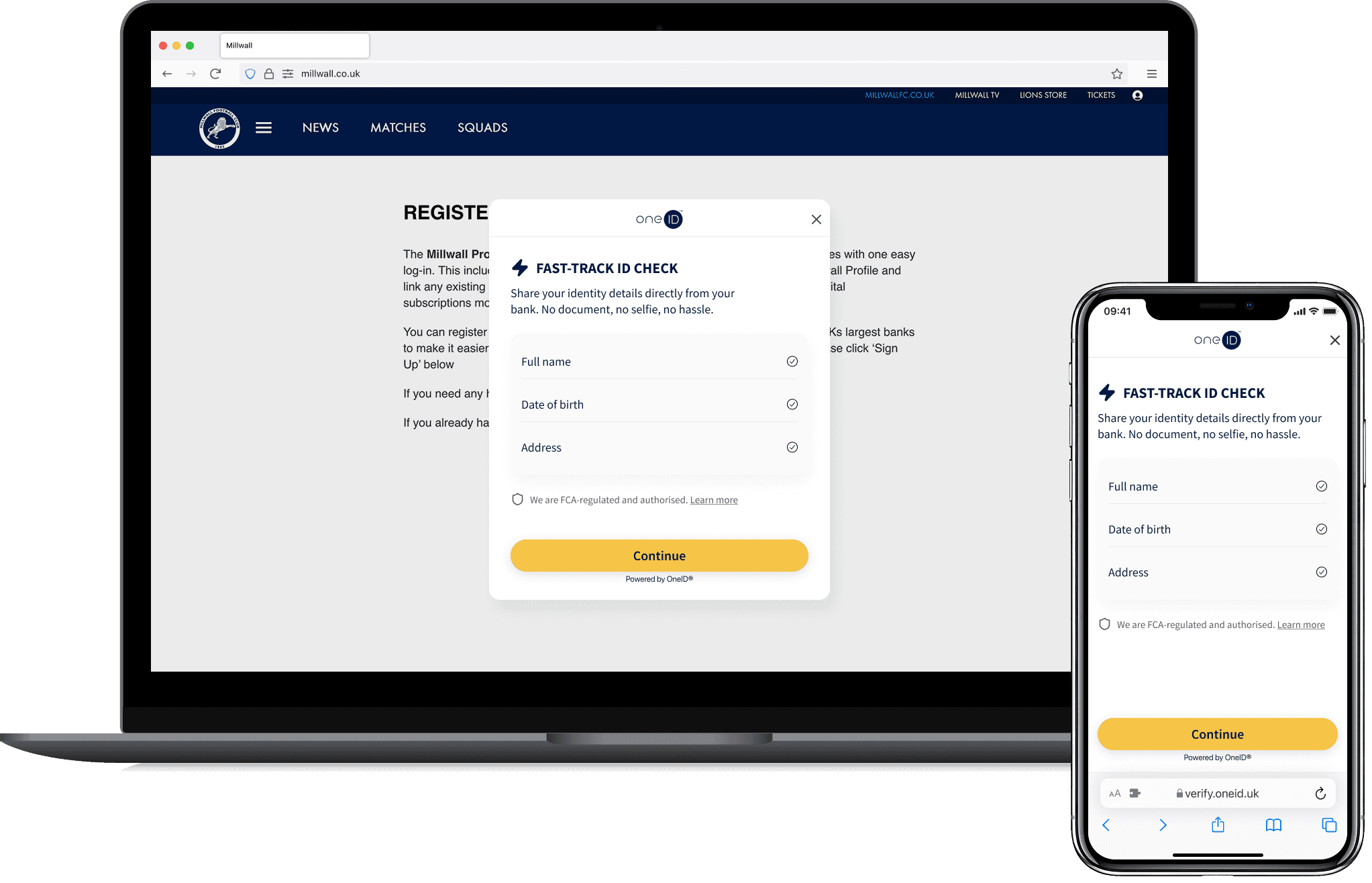
Reducing cognitive load
Before
The original first screen read like an onboarding guide. Dense copy, multiple explanations, a lot of words before any action. In a normal product, that might just be friction. In an identity verification flow — where users are already slightly on edge, it felt like something to be wary of.
After
We stripped it back. One clear message: what's being verified, and why it's safe. No more than the user needed to take the next step with confidence.
From embedded to controlled environments
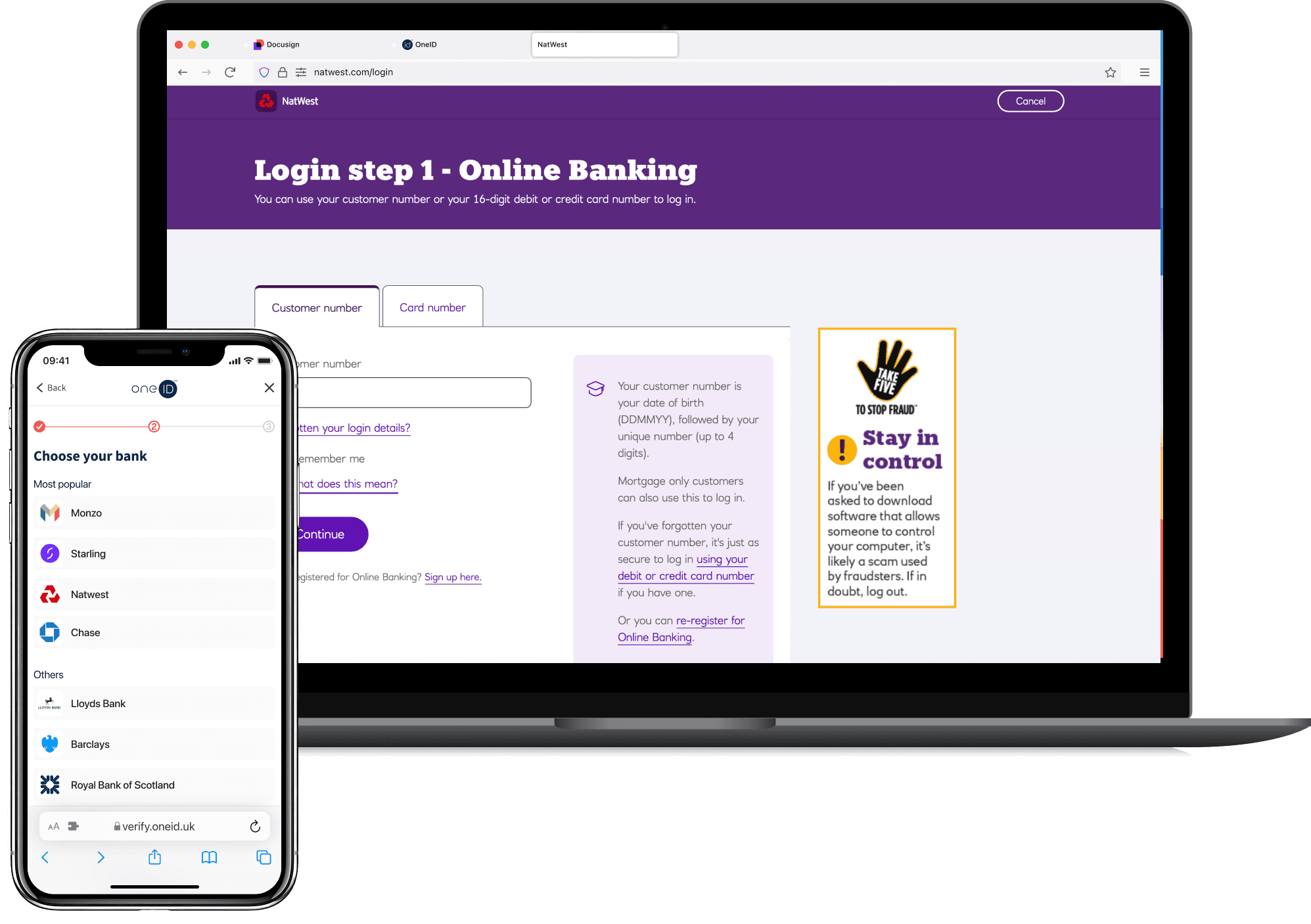
Findability and bank access
Before
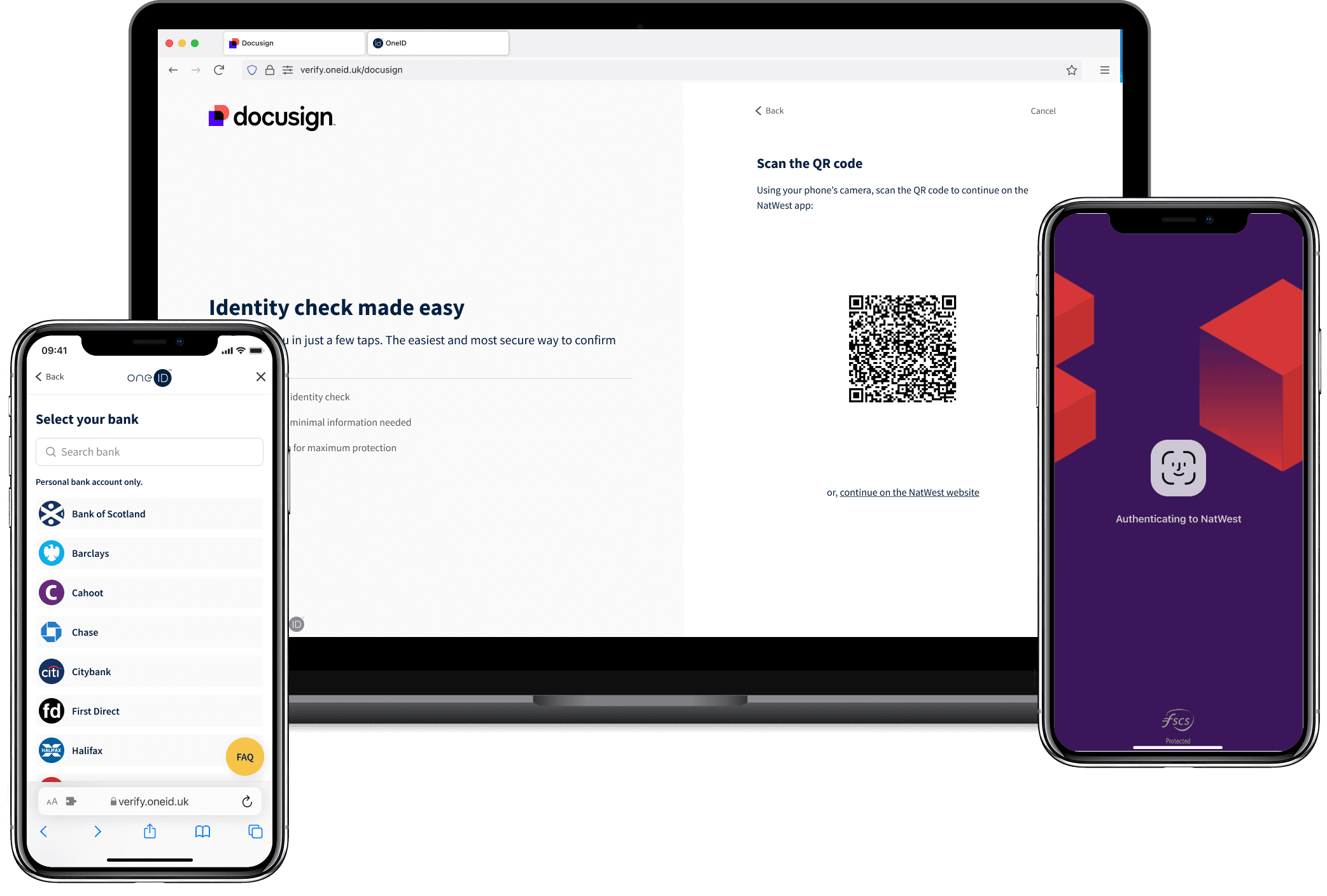
Desktop users were dropping off at a rate 21% higher than mobile. The reason was simple: getting to your bank on a laptop means navigating to a website, entering credentials, possibly waiting for a two-factor code. It's effortful enough to break the moment.
After
The fix was a QR code letting users hand off to their phone, where their bank app is already installed and a face scan is all it takes. A small shift in interaction model with a meaningful impact on completion.
Bank Findability
Designing for recovery and learning
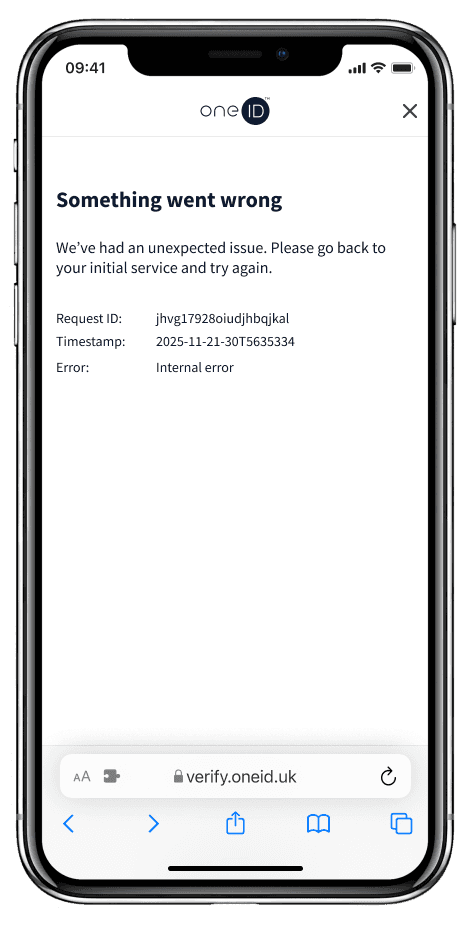
Before
When something went wrong, OneID showed one message: Something went wrong. No context, no next step, no way forward.
Errors in identity verification don't just create friction, they create doubt. If the product can't explain what happened, users assume the worst: that they did something wrong, or that their data is somehow at risk.
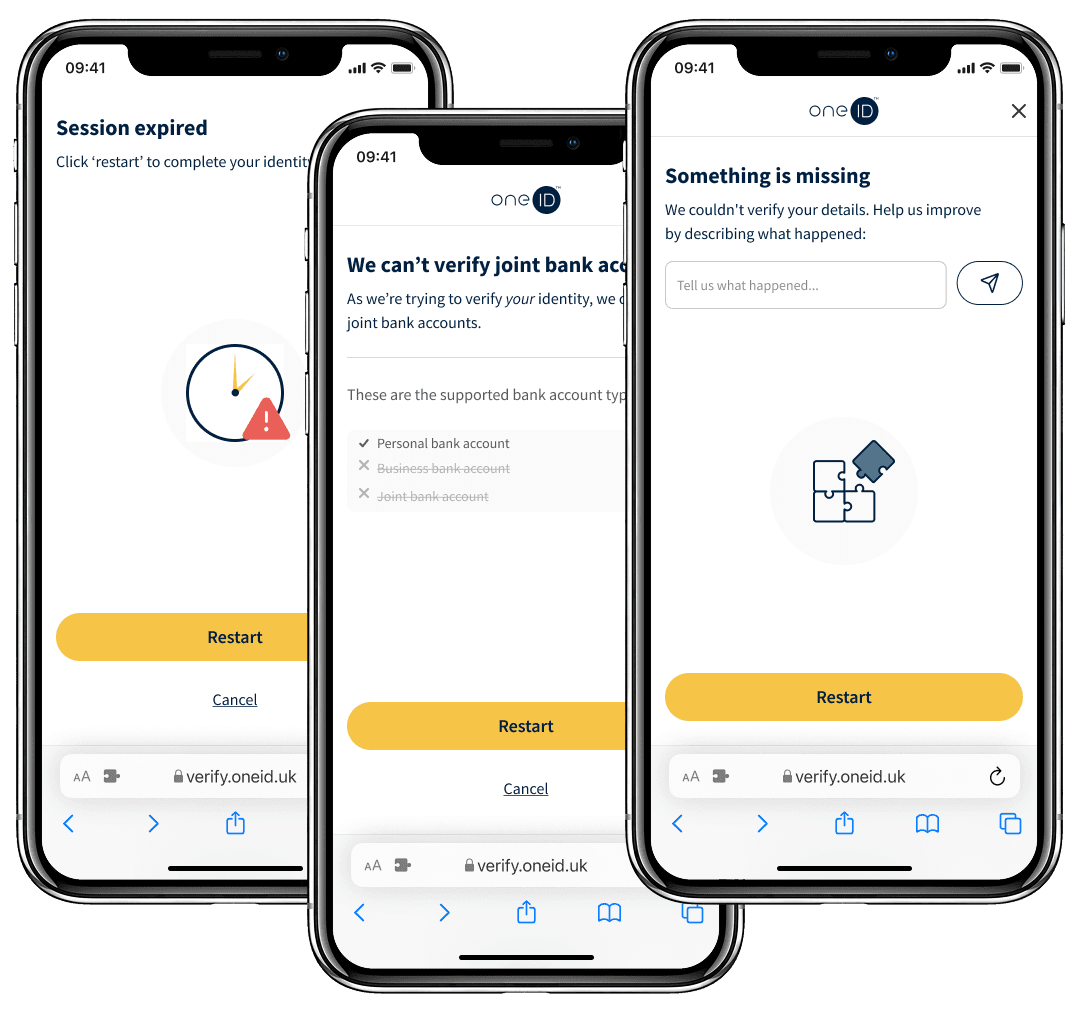
After
I mapped every error state we could recognise, wrote plain-language explanations for each, and built recovery paths where we could. For example, letting someone retry with a different bank if their first choice wasn't supported. Turning dead ends into decision points.
Error Handling
A new design system
Re-evaluating product fit
The first phase delivered real gains (approx. +27% completion at this stage). But it also exposed something we'd been working around: bank verification alone couldn't serve everyone.
Users without digital bank accounts. Joint account holders. People outside the UK. E-commerce scenarios where speed was everything and a banking journey was too slow. These were whole groups of customers we couldn't reach.
We began adding alternative verification methods alongside the bank journey: document scanning at first, then a growing set of identity providers for different regulatory contexts.
Expanding coverage
Linear fallback
At a first stage, document scanning could be configured by customers either as a main method, or as a fallback when bank verification failed.
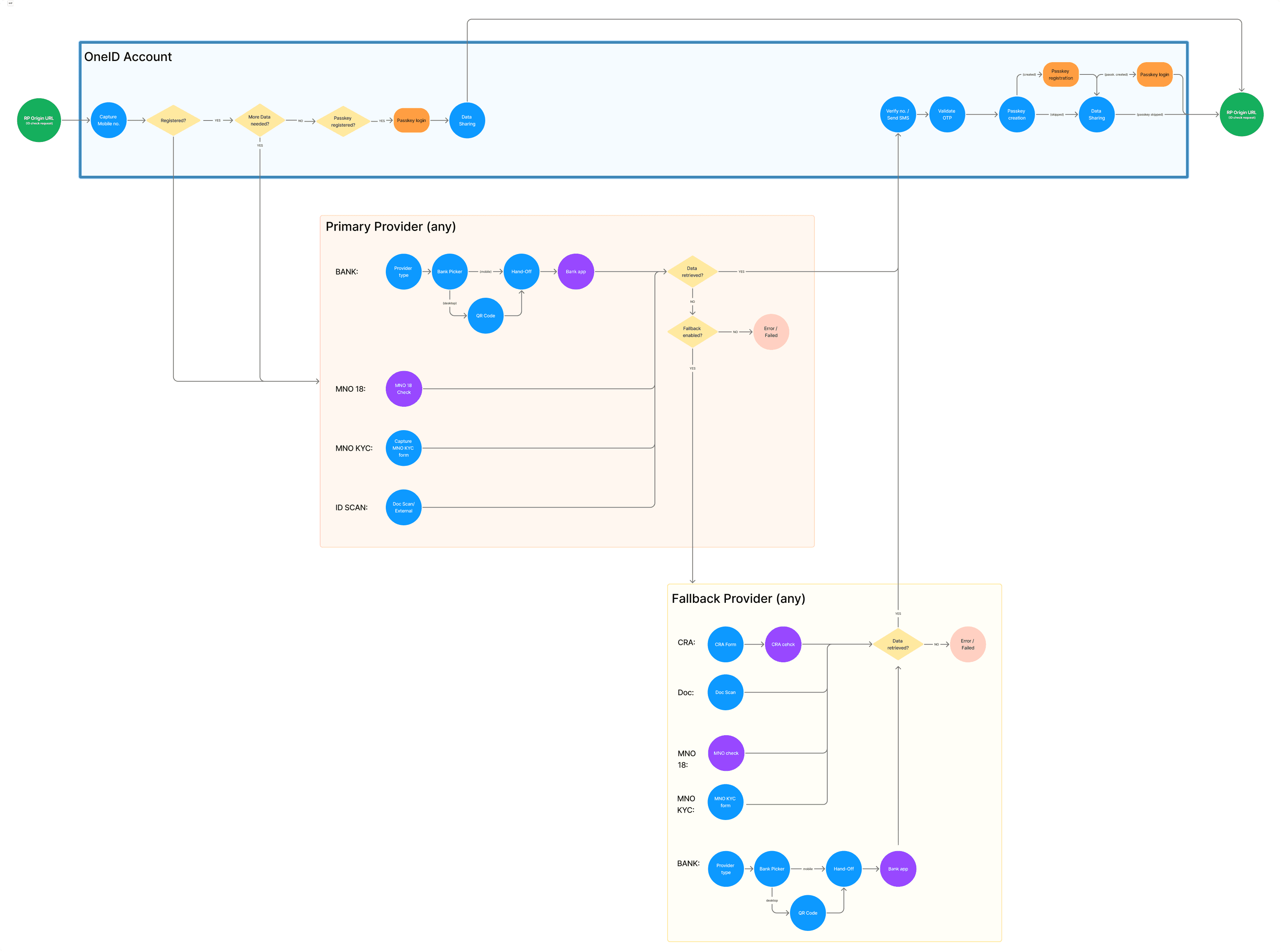
What it enabled:
Users without digital bank accounts
Joint bank account holders
International users
An alternative for openbanking errors
New limitations emerged:
Use cases (e.g. employment pre-screening) require document scans for regulatory reasons, but also wanted bank verification for additional checks like AML.
Age verification for e commerce didn't want a fallback system, but multiple options for users to choose from.
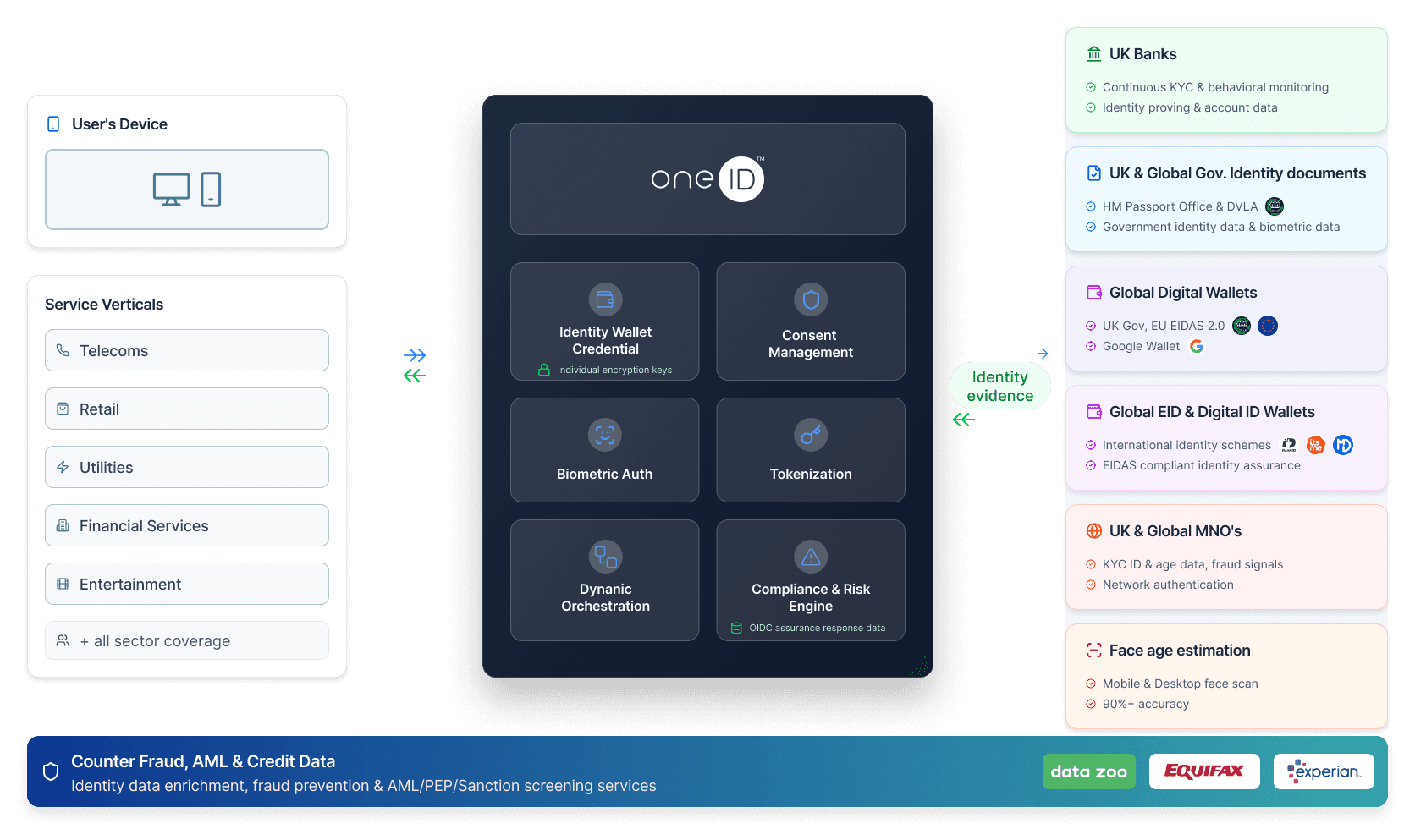
As we added options, new tensions emerged. Employment pre-screening needed both document scans and bank verification, not one or the other. Age verification for e-commerce didn't want a fallback; it wanted user choice. We weren't just expanding coverage anymore. We were being asked to compose verification flows from multiple parts.
Orchestration and system thinking
This was the moment that changed how I thought about the product.
Until now, OneID sold named products - ID Check, ID Assure, Age Check, Age Assure - each a fixed solution for a specific use case. It was a model that made sense early on, but it was starting to break. Customers had needs that didn't map cleanly to any single product. New use cases kept arriving. And every addition created another thing to maintain, position, and explain.
We made a deliberate decision to stop selling products and start selling one thing: customer verification. A single solution that customers could configure based on what they actually needed: the data scope (e.g. address, age, identity), the compliance requirements they were working to, and the methods available to meet them.
Under the hood, this meant restructuring OneID around an orchestration layer. Verification methods became modular components that could be combined per context. But from a customer's perspective, the shift was simpler: instead of choosing between products, they were shaping one.
It was a trade-off worth naming. Orchestration introduced real backend complexity and significant upfront engineering. But it was the only model that could scale, because no fixed product catalogue would ever keep pace with how compliance requirements actually evolve.
Cost, reuse, and business model
Cost-per-check was reduced by 2/3 for returning users.
Impact
Measurable Outcomes
Increase in success rate
User adoption
(for key client)
Time to complete
(for returning users)
Next steps
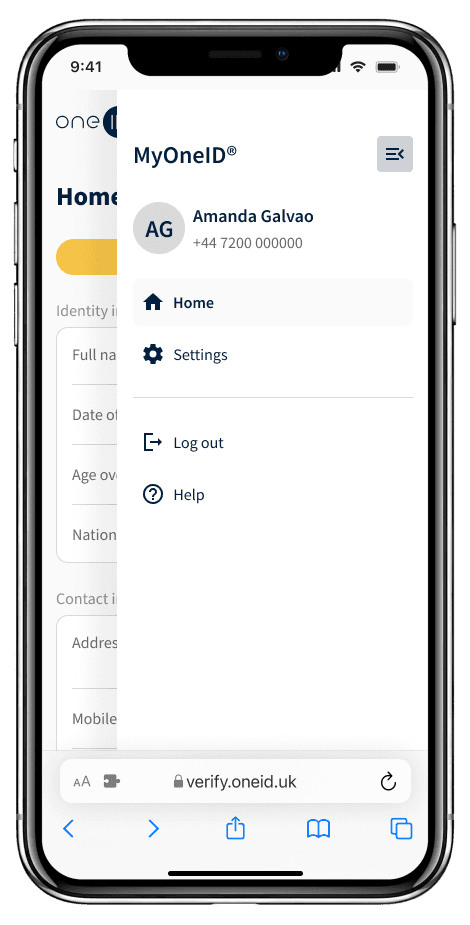
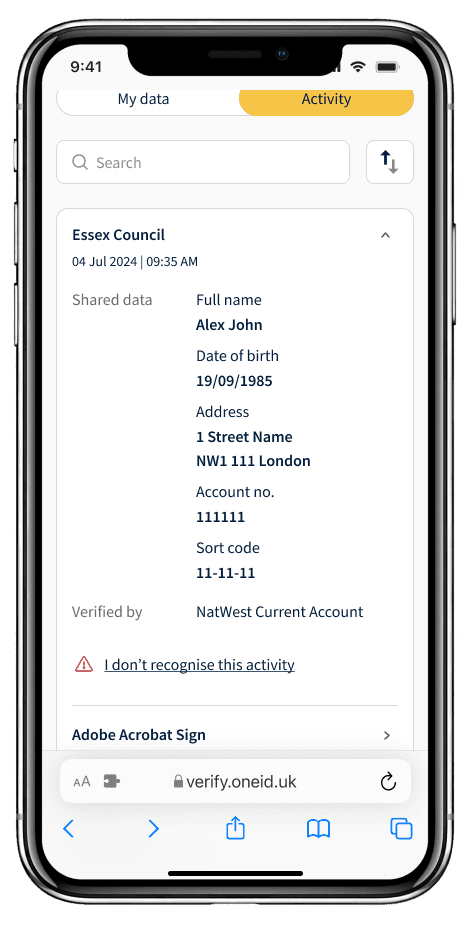
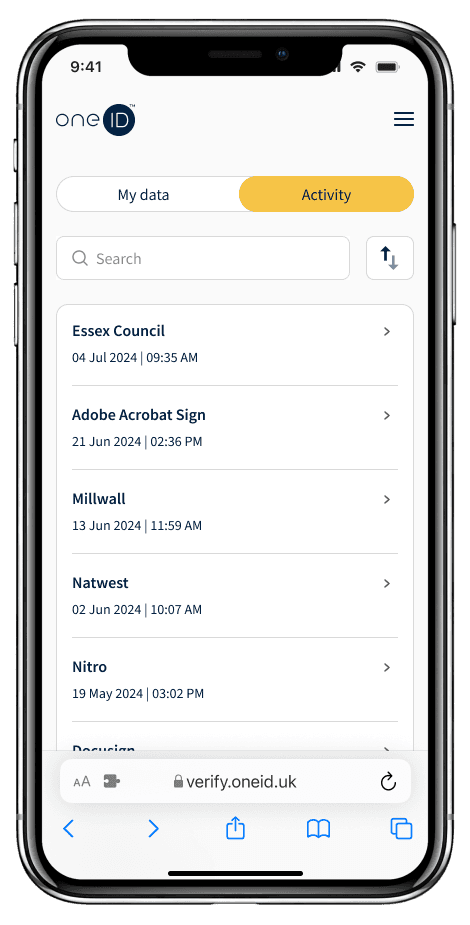
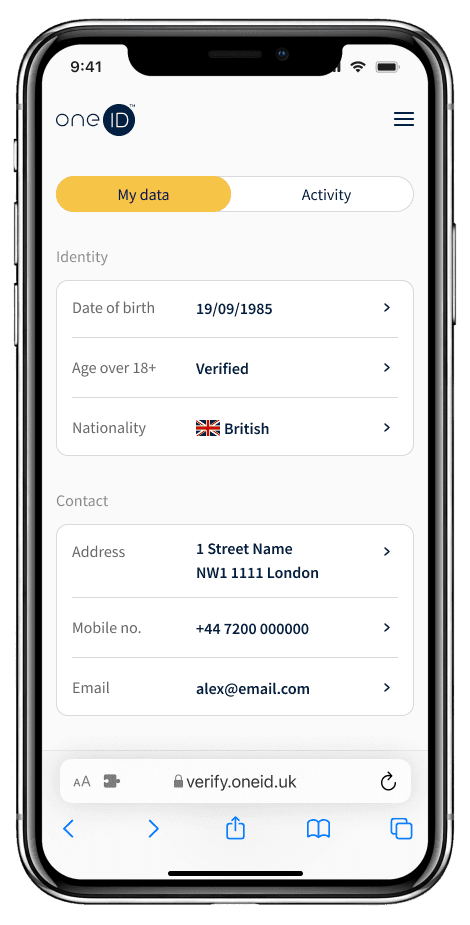
Reuse was the first step in building a relationship to maintain. But it surfaced a gap: users had no visibility into their own verified identity. They couldn't see which organisations had checked them, manage their data, or delete their account without contacting OneID directly.
I'm currently designing MyOneID — a user-facing portal that gives people genuine control over their identity data. Not just GDPR compliance as a backend function, but transparency as a product feature.
If orchestration made OneID more powerful for businesses, MyOneID is what makes it trustworthy for the people at the centre of it.
Identity verification, done right, shouldn't feel like something that happens to you. It should feel like something you're in control of.
Get in touch
a.galvao@outlook.com
linkedin.com/in/amanda-galv/
© 2026 London